
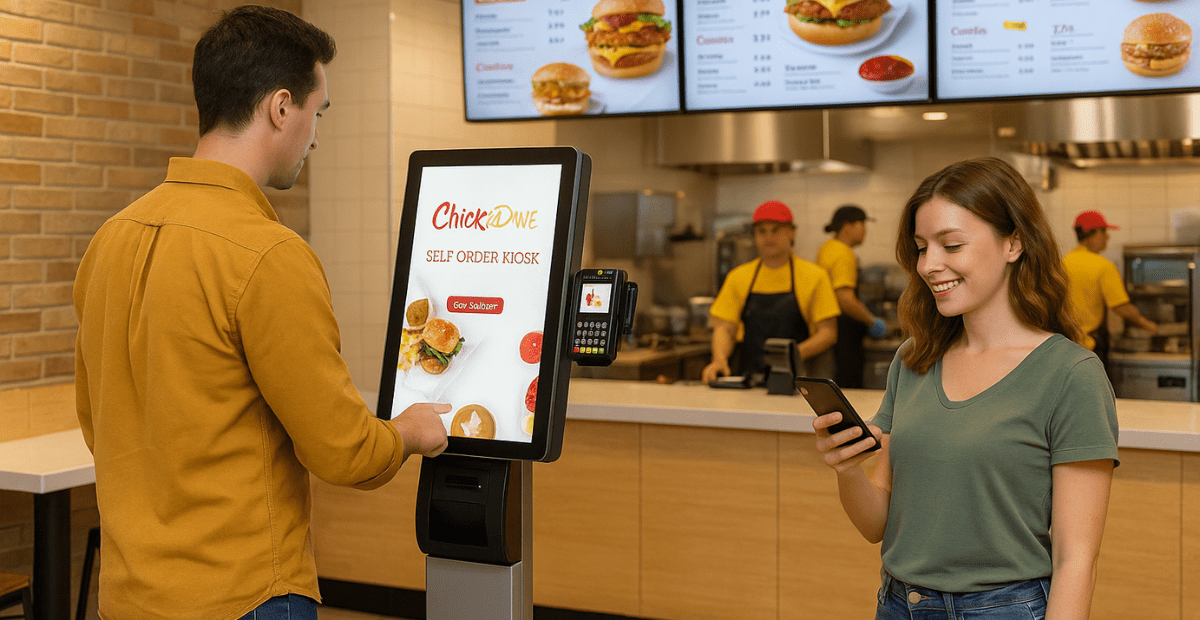
Self-serve kiosks enhance QSR efficiency by shifting a significant portion of ordering, upselling, and payment from the counter to customers. This reduces front-line bottlenecks and makes order flow more predictable during rushes. The surprising part is the biggest “speed win” usually isn’t the kiosk screen itself, it’s what kiosks force you to fix behind the scenes: menu layout, modifier logic (essential for a pizzeria self-order kiosk), kitchen routing, and pacing. When those pieces are clean, a self serve kiosk for QSR can reduce line anxiety, improve order accuracy, and help you manage the same sales volume with fewer cashier hours during the hardest-to-staff periods (a real problem for 2024-2026).
This guide explains what a kiosk is in QSR terms, how it actually works, what it typically costs, what benefits you should expect, and how to choose and roll out kiosks without disrupting throughput.
Key Takeaways
- Kiosks improve efficiency most when they reduce order-taking labor and standardize order entry, not when they “look modern.”
- Your real constraint is usually the kitchen’s ability to absorb cleaner, faster order flow, so plan routing and prep capacity first.
- Costs vary, but budget for hardware + software + installation + payment processing, plus ongoing support, not just the kiosk stand.
- The best results come from a measured rollout: one store, one daypart, and a tight menu before you scale.
What a “self serve kiosk for QSR” actually is (and what it isn’t)
A self serve kiosk for QSR is a customer-facing ordering station (usually a touchscreen) that lets guests build their order, customize items, pay (often), and send the ticket directly into your POS and kitchen workflow. Think of it as a “front counter order taker” that never calls out sick and always follows your modifier rules.
What it isn’t: a magic fix for a slow kitchen, a confusing menu, or a broken expo station. If your sandwich build takes 7 minutes no matter what, moving the order to a kiosk doesn’t change physics. It changes how cleanly orders arrive and how many labor minutes you spend capturing them.
- Self service kiosk fast food setups usually emphasize speed: big buttons, limited decisions, and tight modifier sets.
- A self-service kiosks example that works well: a 10-location taco chain that drives combos first, then add-ons (guac, extra protein), then asks “dine-in or to-go,” then takes payment.
- A kiosk that’s really just a “digital menu” without ordering is helpful, but it won’t deliver the same throughput gains.
A practical example: an 8-location burger group installs two kiosks per store and shifts one cashier to expo during lunch. The line moves because orders hit the kitchen in a cleaner, more predictable pattern, and expo prevents pickup gridlock. That’s the efficiency story that actually pencils out.
“This logic applies across different concepts: a self-service kiosk for a cafe can streamline morning coffee rushes, while a bakery kiosk ensures complex custom orders are captured accurately without holding up the line.”
Ready to see the Applova Kiosk in action?
Stop managing bottlenecks and start managing growth. See how our specialized interface reduces line anxiety and automates upselling for your specific restaurant type.
If your biggest friction is kitchen communication (missed modifiers, stations stepping on each other), pairing kiosks with a solid kitchen display system often delivers the “second half” of the efficiency win.
Frequently Asked Questions
What is a self serve kiosk for QSR?
It’s a customer-facing ordering device that lets guests build their order and usually pay, then sends the order into your POS and kitchen workflow. In practice, it replaces some cashier functions and standardizes how orders are entered.
How does a self serve kiosk for QSR work?
Guests select items and modifiers on the kiosk, complete payment (often on the kiosk), and the order appears in your POS and routes to the kitchen printer/screens. Your team fulfills and hands off the order using an order number or name.
How much does a self serve kiosk for QSR cost?
Costs depend on hardware model, number of kiosks, software licensing, installation, and support. Budget for the full system (device, mounting, payment reader, network/power, software, and ongoing support), not just the screen.
What are the benefits of a self serve kiosk for QSR?
Typical benefits include reduced front-counter congestion, more consistent upselling, improved order accuracy for modifiers, and the ability to shift labor from order-taking to expo and production. The best gains show up when kitchen routing and pickup flow are designed to match faster ordering.
How do I choose a self serve kiosk for QSR?
Choose based on your constraint (counter vs kitchen), POS integration quality, UI speed for top orders, installation fit for your lobby traffic, and a realistic plan for cash and accessibility. Pilot first, then standardize what works across units.
If you’re evaluating kiosk ordering as part of a broader off-premise strategy, it can help to see how dedicated kiosk platforms are typically deployed in multi-unit environments. Here’s Applova’s self-service kiosks page for a concrete reference point.
Ready to find the right fit for your business? Explore how self-service kiosks are tailored for your specific industry:
Kiosks are worth it when they remove the front-counter as your limiter and make ordering more consistent across stores. Get the menu logic, kitchen routing, and pickup flow right, then your self serve kiosk for QSR becomes a real efficiency tool, not a lobby decoration.